- Home

- What's new?
What's new in Storyly?
The latest features, improvements, and updates in Storyly.
October 12, 2026
Analytics Upgrade: From Tracking Metrics to Measuring Performance 📊
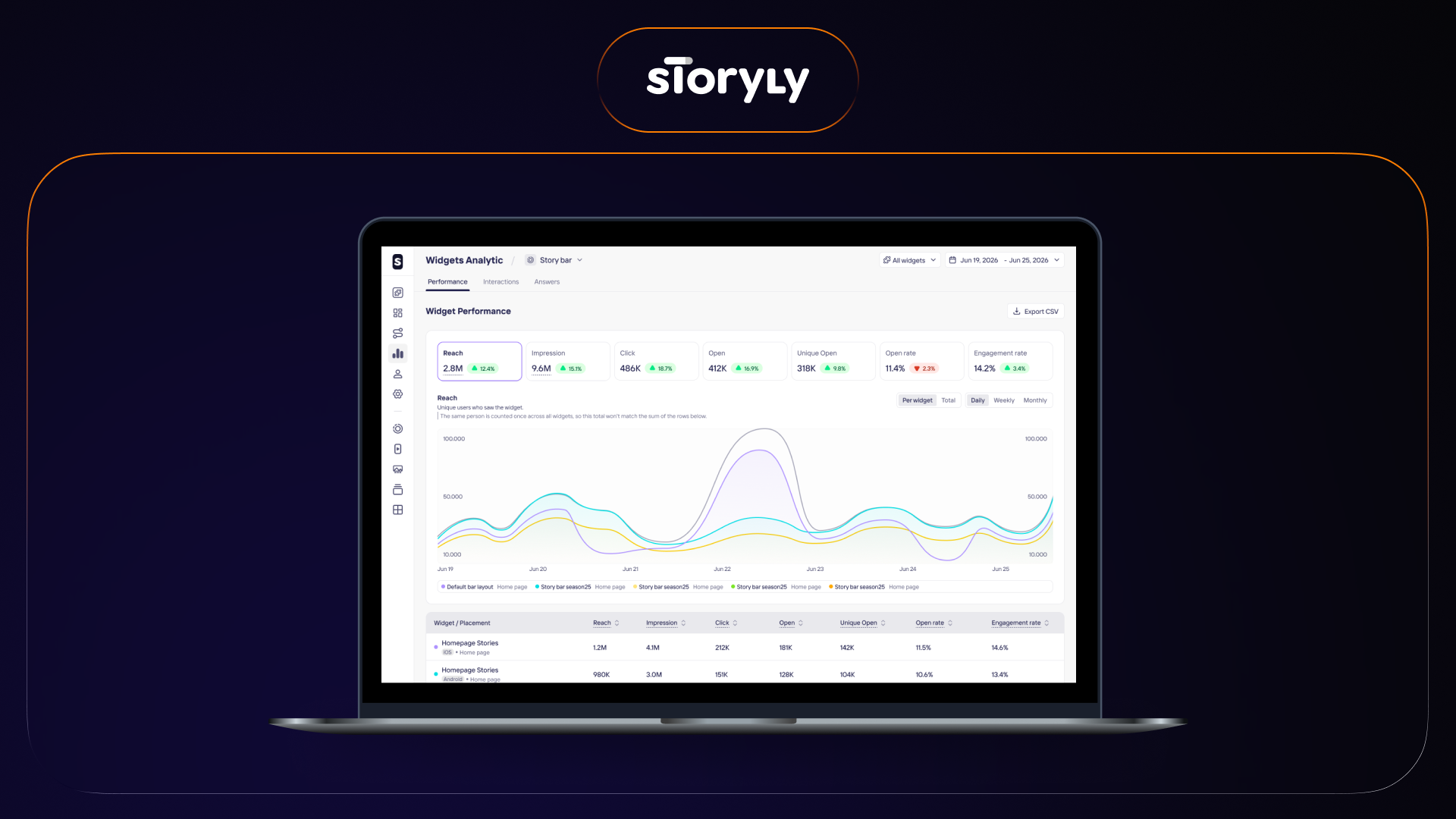
Analytics now shows how each widget performs, alongside how the content inside it performs, for every widget type. One consistent set of metrics makes it easier to see what is working and where to improve.
September 24, 2026
A Clearer View of Your Audiences

The Audiences page now gives you more context on the audiences you bring in from your integrations, and more control over how you manage them. Keep your targeting organized and easy to trust.
September 20, 2026
Canvas Upgrades: Optional Play Button
You can now turn off the play button that sits on video grids in your Canvas. Switch it off from the dashboard whenever you would rather the artwork spoke for itself.
September 17, 2026
Bigger Product Feeds, Faster Uploads
Product feed uploads now handle larger feeds and process them faster. Your existing setup carries on working exactly as it is.
September 15, 2026
Duplicate Content in a Few Clicks
Reuse what you've already built without rebuilding it. Select your content, choose where it goes, and the copy appears in the same widget or a different one.
September 10, 2026
Banner Upgrades: Loop Option for End Behavior
.png)
You can now choose what your Banner does after the last slide. Send viewers back to the first slide, or loop forward into it without interruption.
September 10, 2026
Canvas Upgrades: Fill Button CTAs
Canvas now offers a filled button style for your call to action, alongside the text link you already have. Choose the fill color, corner radius, and border from the dashboard so the CTA carries the visual weight you want.
July 2, 2026
Light Mode / Dark Mode
Control dark mode for your Storyly widgets from the dashboard — no code changes required.
June 30, 2026
Banner RTL Support
Run RTL banner campaigns for any right-to-left audience, configured entirely from the dashboard.
June 16, 2026
New Feature: Connect Your Event Feeds 🏟️

Sportsbooks and iGaming companies can now connect their event feeds to Storyly to sync their match and betting data with the platform. By uploading your feed now, you can work directly with our team to share your content goals and shape the design of our upcoming Story and Banner templates.
June 4, 2026
Story Bar Updates: Sizing and Styling Made Easier 🎨
Configuring your Story Bar widgets is now much easier, as the dashboard automatically resizes and scales your layout based on the number of groups you choose to display per view. You can instantly change cover shapes using quick aspect ratio presets like 1:1 or 9:16 and effortlessly smooth out edges with straightforward corner radius sliders.
June 3, 2026
Banner Upgrades: Meet the New Carousel Layout 🎡
Now, you can display your Banner widgets in a side-by-side Carousel layout. This new view gives users a partial peek at upcoming slides to encourage exploration, while letting you customize the design by adjusting both the aspect ratio and the number of visible slides.
May 5, 2026
Canvas → Video Feed Flow: Now Live 🎬
You can now link individual grids within your Canvas widget to launch full-screen, shoppable Video Feeds. This allows you to guide users from a grid-style product display into an immersive, vertical-scrolling video experience with a single tap.
May 4, 2026
Retail Media Integration: Sponsored Stories with retailmediatools

Our new integration with retailmediatools allows you to convert your Story Bar into a premium sponsored ad unit using automated, data-filled templates. While the initial setup happens in Storyly, you can manage campaigns and track all metrics seamlessly from your retailmediatools dashboard.
April 27, 2026
AI-Powered Personalization Engine: Recommended For You on Canvas 🧠
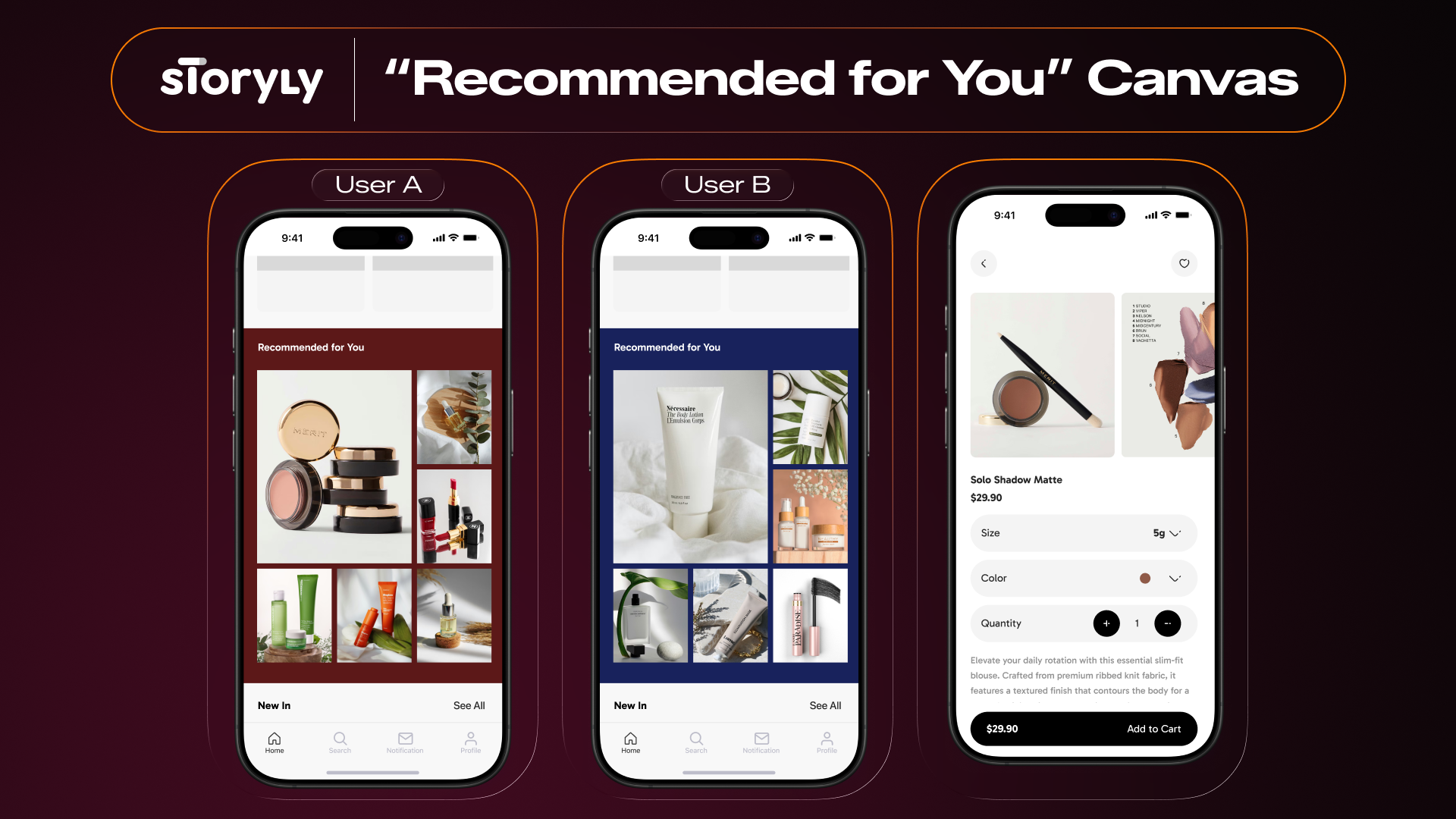
You can now automate product discovery on Canvas widgets using AI-driven "Recommended For You" models that refresh daily based on individual user behavior. By connecting your product feed, the system automatically populates tiles with relevant images and prices, eliminating the need for manual content curation.
April 3, 2026
Improved Scheduling for Banners, Canvas, and Swipe Cards
We’ve upgraded the scheduling options for Banners, Canvas, and Swipe Cards.
March 16, 2026
Banners Support Disclosures and Legal Text Now
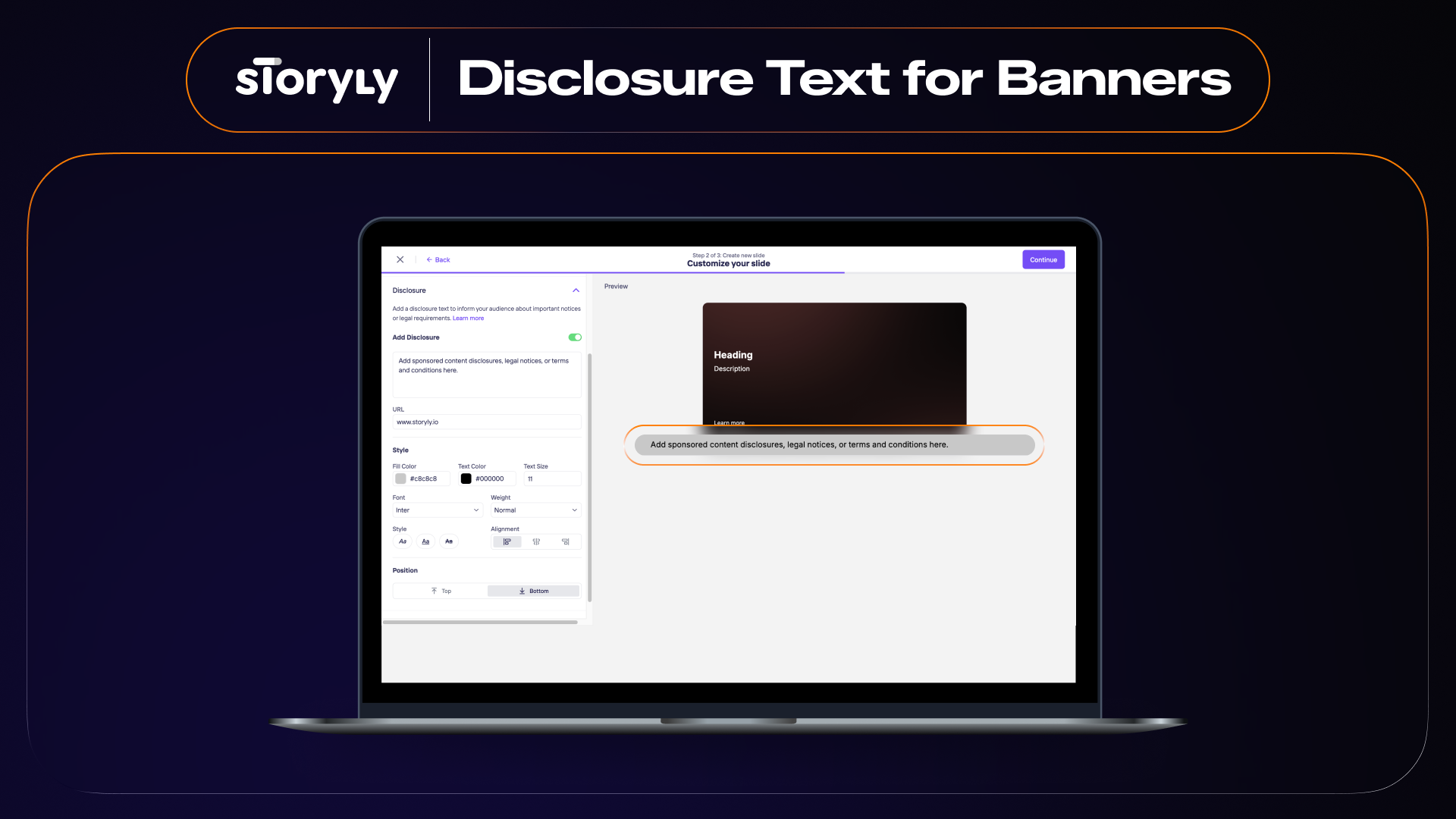
You can now add a dedicated Disclosure field to your Banner widgets—perfect for "Sponsored Content" labels, "Terms and Conditions," or any mandatory legal notices.
February 3, 2026
Banner → Video Feed Flow Is Live!

You can now set individual banner slides as direct entry points to launch full-screen, shoppable Video Feeds with a single tap. This Flow creates a seamless transition from standard browsing to an immersive, social-style environment where users can discover and purchase products directly within the video.
January 30, 2026
Endless Inspiration, All in One Frame: Meet Canvas 🖼️

Canvas provides a high-density, Pinterest-like mosaic that allows users to explore multiple products or categories at a single glance.
November 14, 2025
Banner → Story Flow: Seamless Full-Screen Transitions
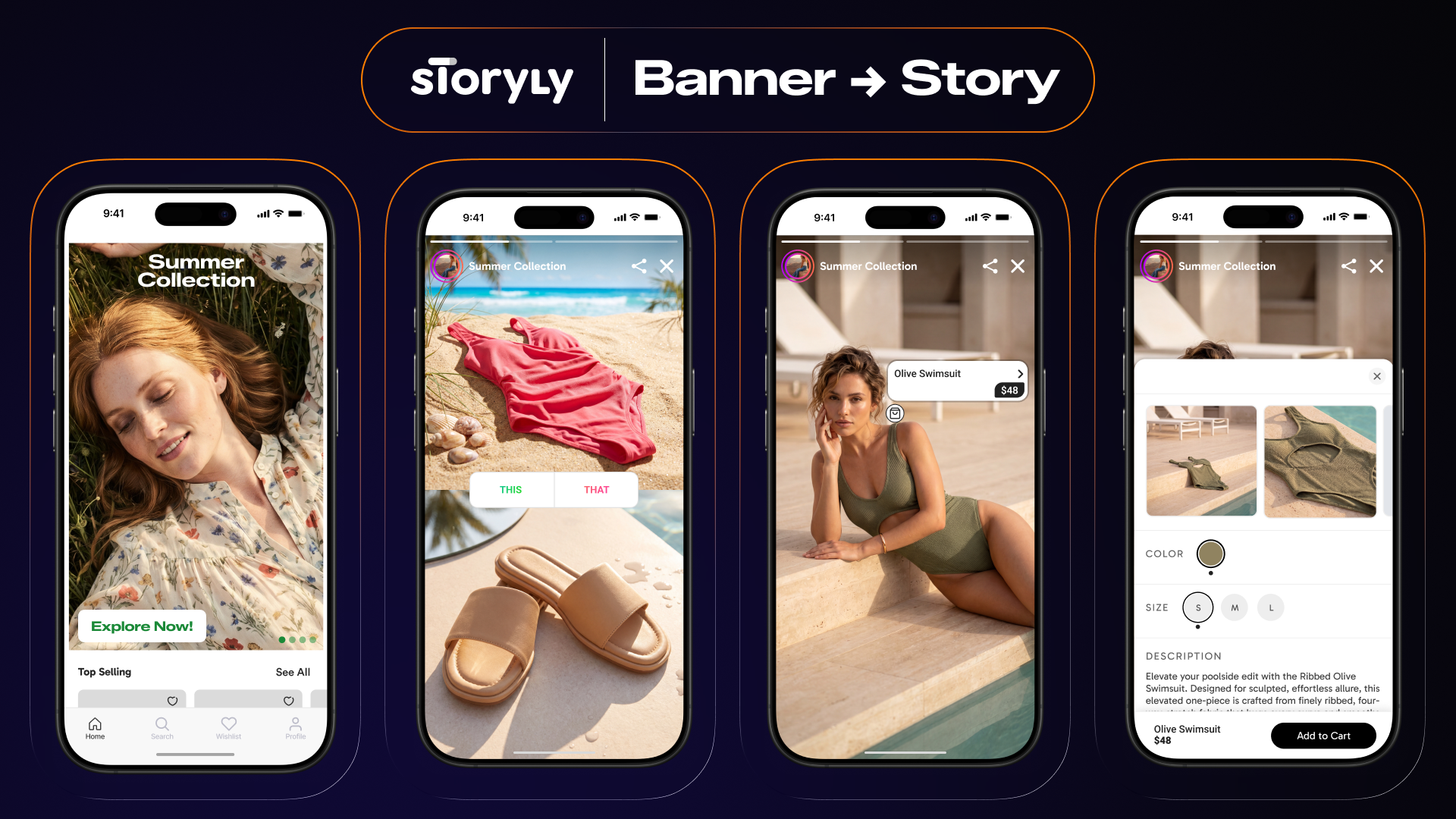
You can now link individual banner slides directly to specific Stories or Story Groups to launch a high-impact experience with a single tap. This creates a seamless transition into a distraction-free, full-screen environment where your content remains both fully interactive and shoppable.
September 19, 2025
Love It or Leave It? Introducing Swipe Cards🎴
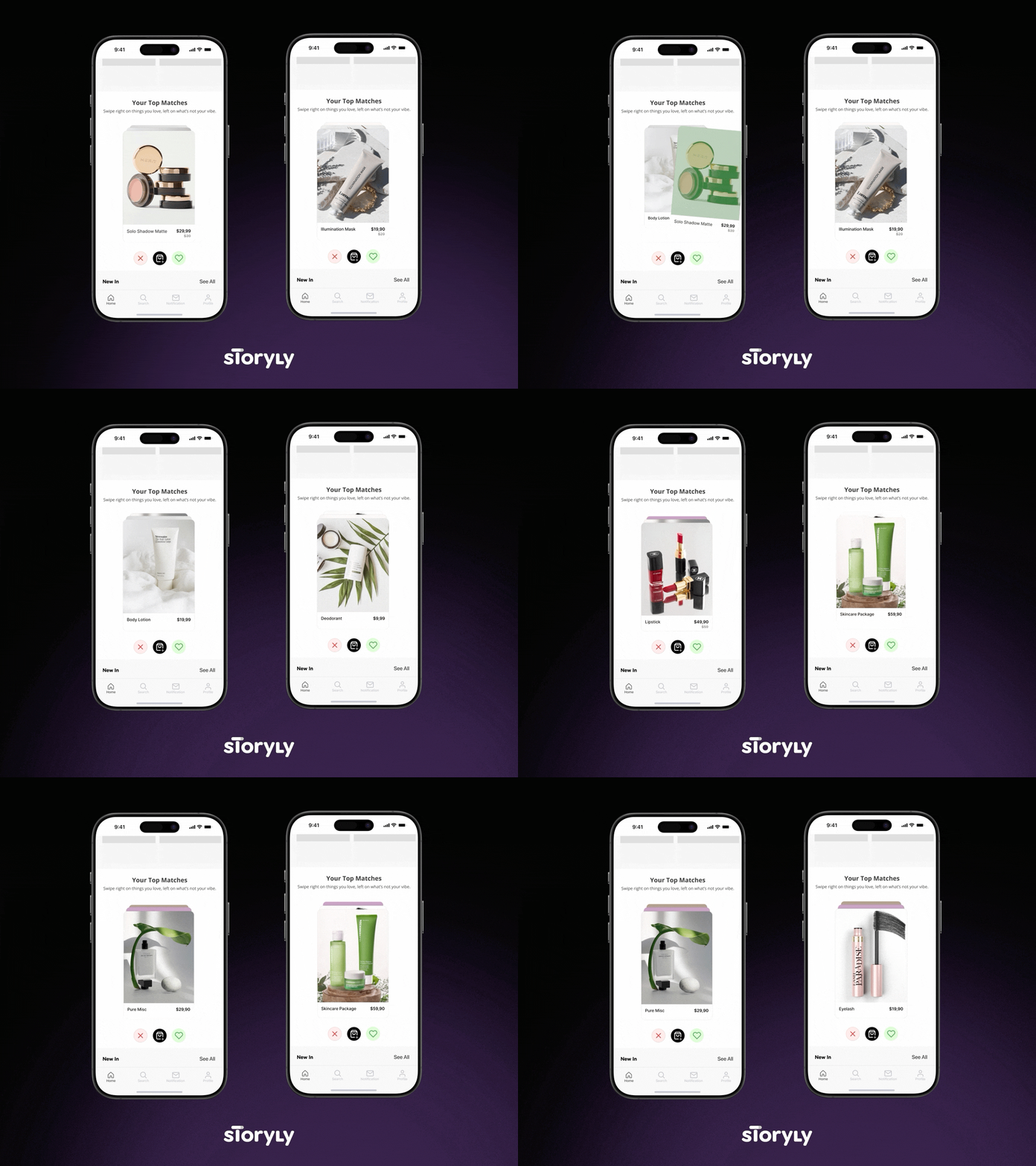
Introducing Swipe Cards: a Tinder-style interaction designed for rapid product discovery and high-velocity feedback.
August 27, 2025
📢 New Widget Alert: Introducing Banners
.gif)
To give you more flexibility in how you communicate with your users, we are excited to add Banners to the Storyly widget ecosystem.
August 14, 2025
🚀 New Integration: Storyly + Bloomreach
We’re excited to announce a powerful new integration with Bloomreach. This update allows you to bridge the gap between your real-time customer data and your Storyly content, making hyper-personalized content delivery in the app or on the website easier than ever.
October 22, 2024
Introducing Vertical Video Feed
.png)
We’re thrilled to introduce Vertical Video Feed, bringing a whole new way to captivate your audience!
September 9, 2024
New Features from Storyly to Engage Your Audience
.gif)
We are excited to share the new features included in SDK version 3.6.0.
June 11, 2024
Introducing the New Features with June 2024 Product Update! 🚀

We are excited to share this month's product update from Storyly, featuring amazing new improvements designed to simplify your workflow and help your business grow. Let's explore the latest features in SDK version 2.19.0, along with the optimizations for faster widget load times in version 3.1.0. 🚀
February 21, 2024
Introducing the Fresh Features of SDK Version 2.14.0 🌈
.gif)
We're thrilled to roll out the latest SDK version 2.14, packed with features designed to enhance your engagement and understanding of your audience
January 11, 2024
Embrace full-screen freedom in Studio!

We're excited to roll out a significant update to Studio. Say goodbye to the rigid 9:16, 9:18, 9:20 aspect ratio requirements. Now, you can upload your content and effortlessly fill the entire screen, perfectly adapting to the common 9:19.5 and 9:20 phone screen sizes. This eliminates the need for various exports, offering a more dynamic and engaging visual experience in your stories. Enjoy the new level of flexibility and visual appeal in your content presentation!
January 11, 2024
Elevate your Story creation with Google Drive Import!

Elevate your content creation process with our latest feature: Google Drive Import. This integration allows you to seamlessly import Story content directly from your Google Drive, simplifying and speeding up your workflow. Whether you're working with images, videos, or text, this feature ensures a smooth transition of materials into your Storyly projects.
January 11, 2024
Introducing Nudge Mode: Spark curiosity with unexpected Stories! 🌟

We're excited to introduce Nudge Mode, a fresh addition that allows unexpected Stories to pop up within your regular Story sequence, creating a more dynamic and engaging viewer experience. This feature is designed to captivate your audience with surprising content, appearing when they least expect it and keeping their attention piqued. Using it is a breeze: just activate Nudge Mode in the Story group settings for the Stories you want to surprise your audience with. Enhance your content's impact effortlessly with Nudge Mode! This feature is available for pro and enterprise packages. Contact us to upgrade your plan! 🚀