The “Video Shopping” Flow for Deeper Discovery and Higher Conversions
Sip of Inspiration
Most homepage experiences ask shoppers to browse the same way: scan a listing or a carousel, tap a product, go to PDP, repeat. But when discovery feels static, attention fades fast.
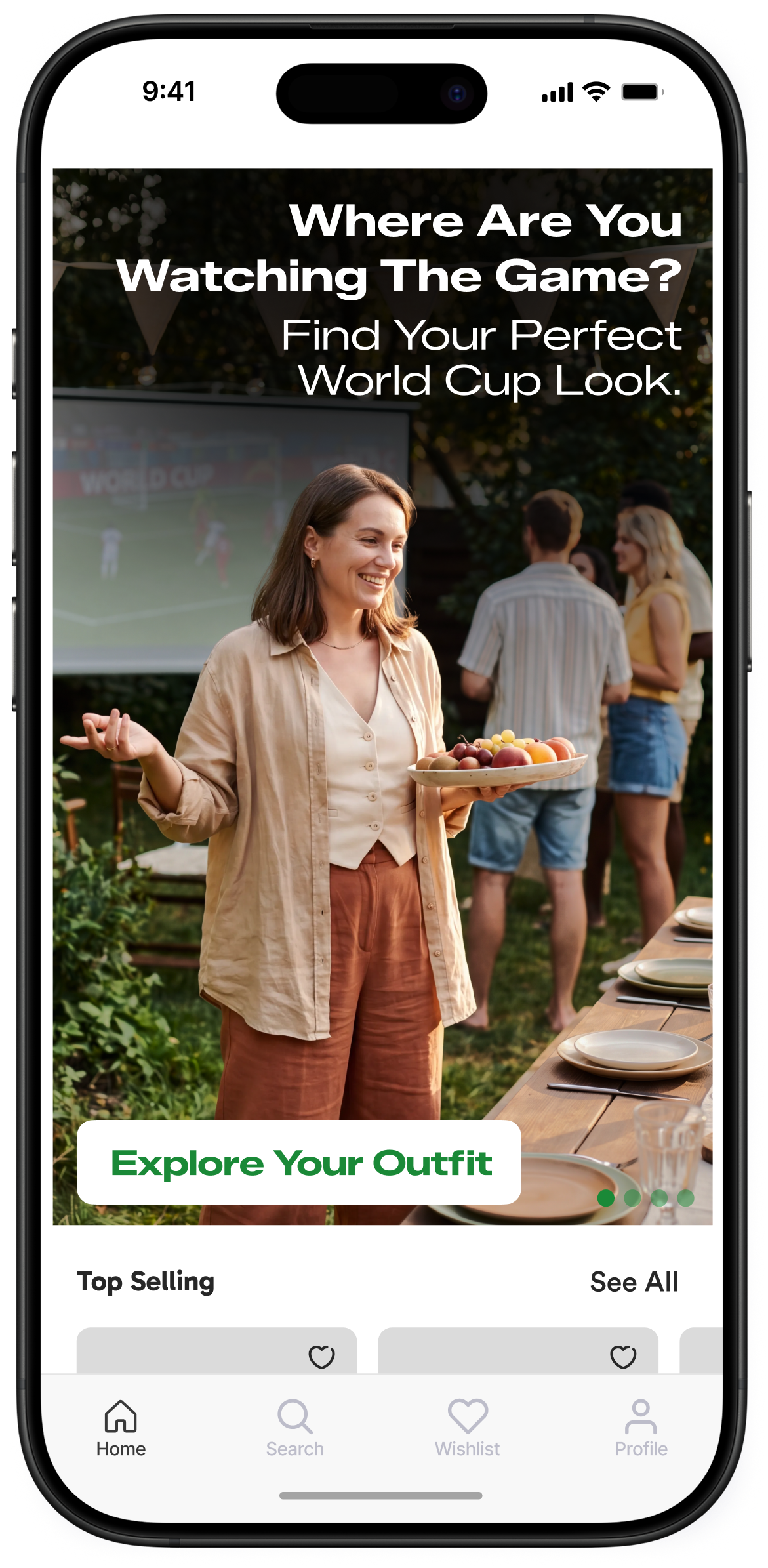
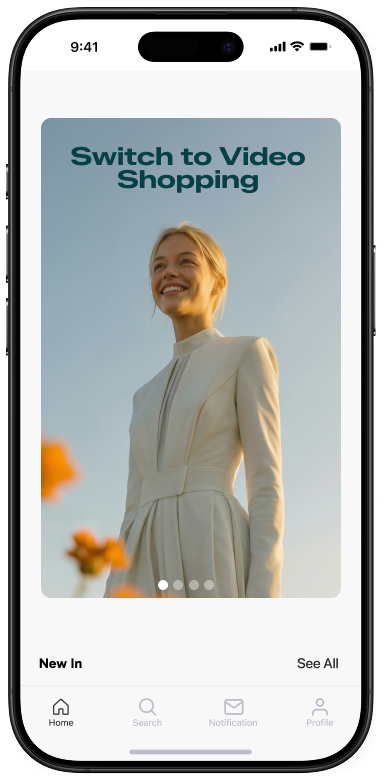
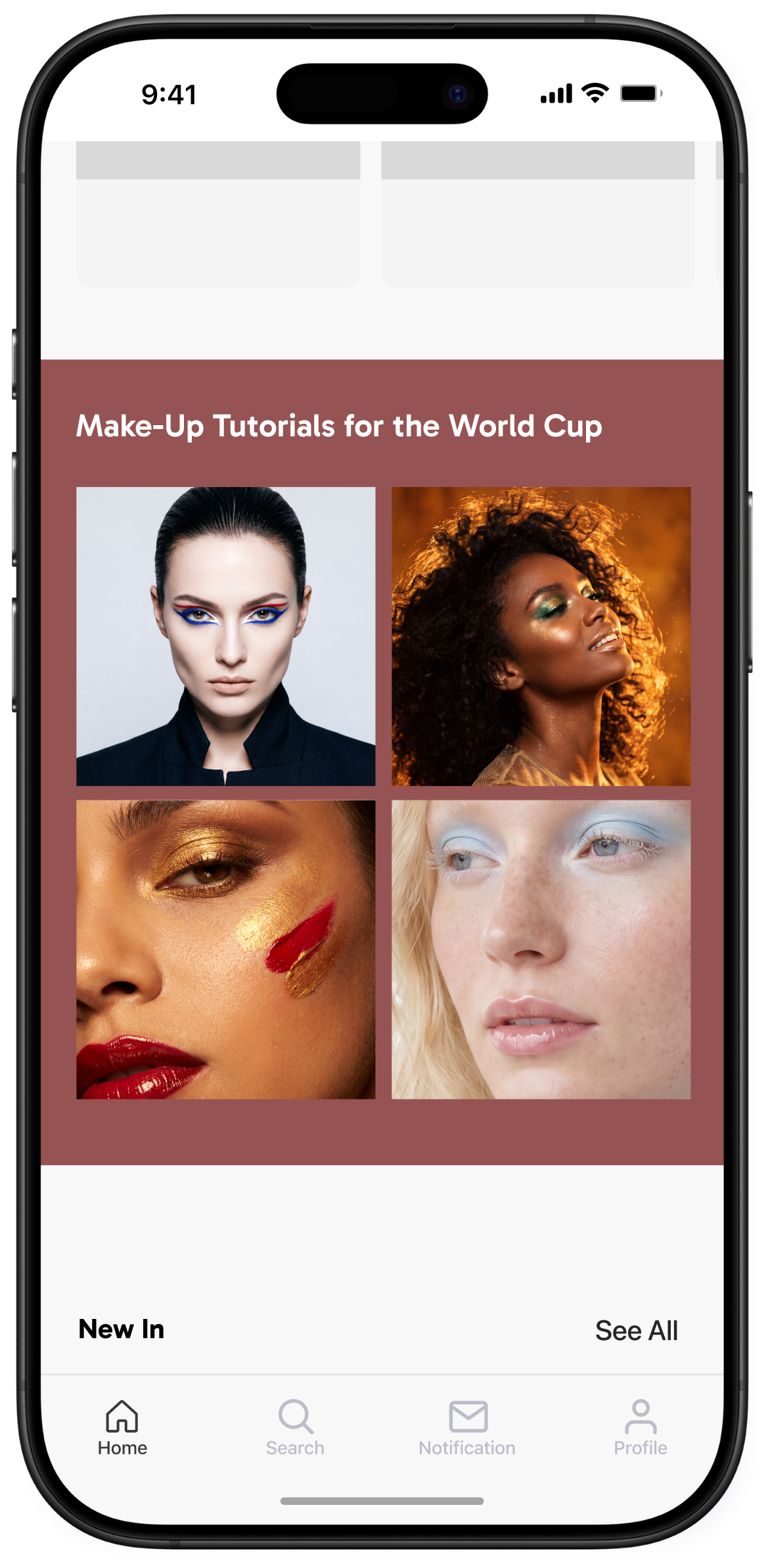
The “Video Shopping” flow gives your users a more engaging way in. With a Banner placed at the top of the homepage, you invite them to switch from traditional browsing into a full-screen Video Feed built for exploration. The experience feels familiar, visually rich, and easy to act on, turning passive browsing into active product discovery without adding friction between inspiration and purchase.
The Flow Experience
1. Switch the browsing mode
Your shoppers land on the homepage and see a high-visibility Banner with a clear CTA: “Switch to Video Shopping.” In one glance, they understand there’s a different way to shop available to them: one that is more visual, more curated, and built for discovery.
2. Open the Video Feed
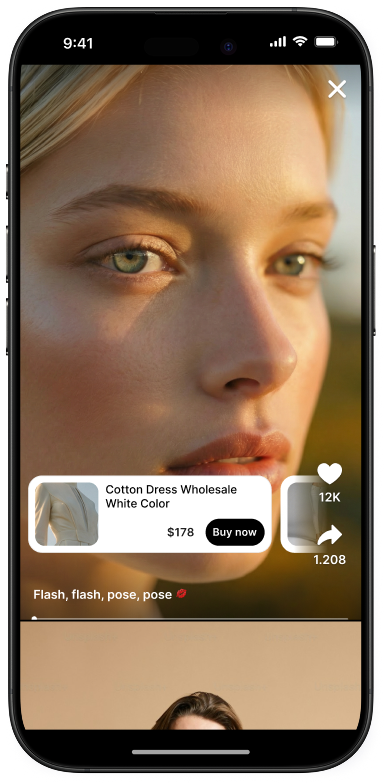
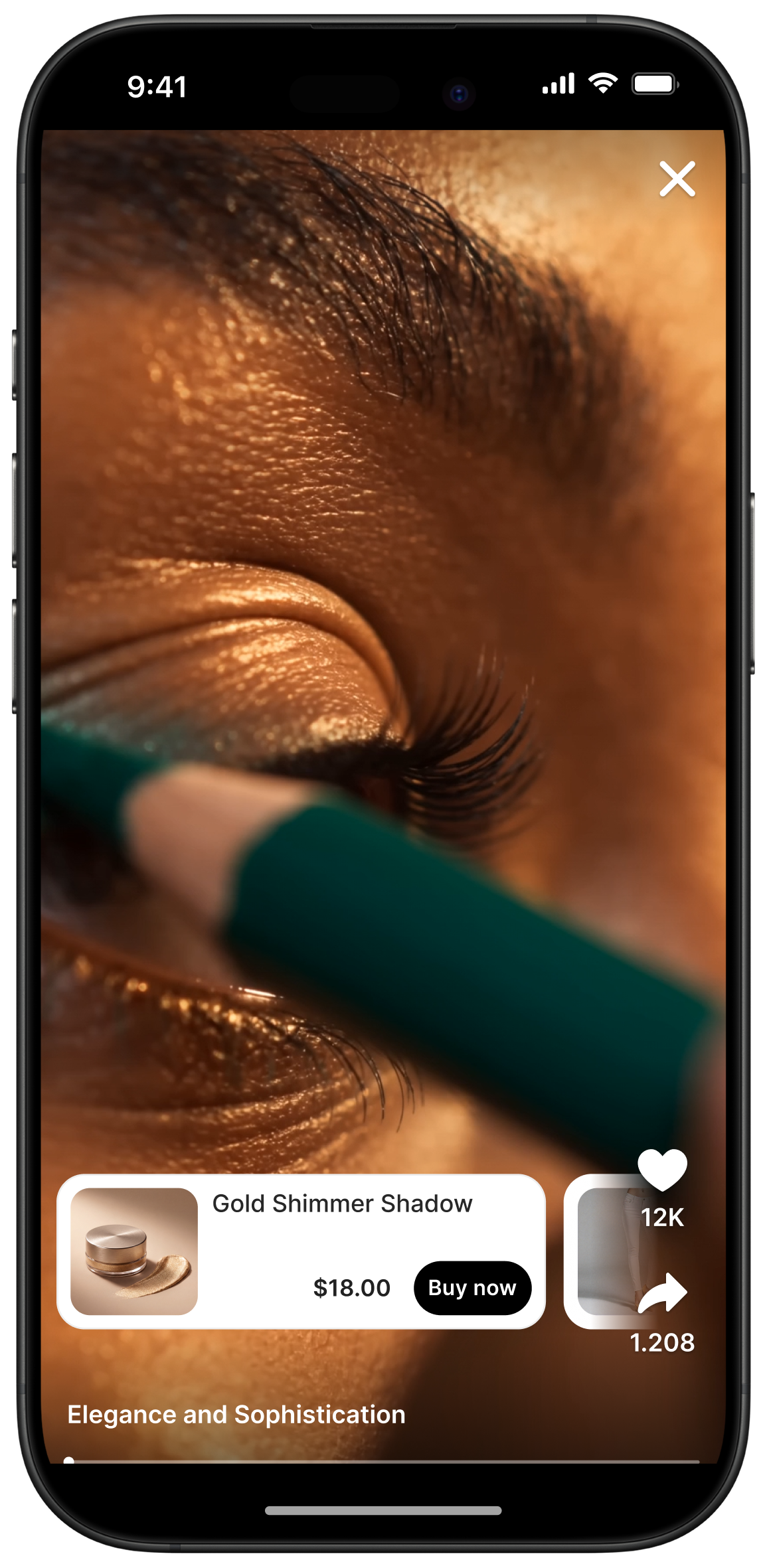
A single tap takes them into a full-screen Video Feed where they can scroll vertically from one video to the next. The interaction feels natural because it mirrors the video behaviors users already know, helping them stay engaged longer and explore more products with less effort.
3. Make products instantly shoppable
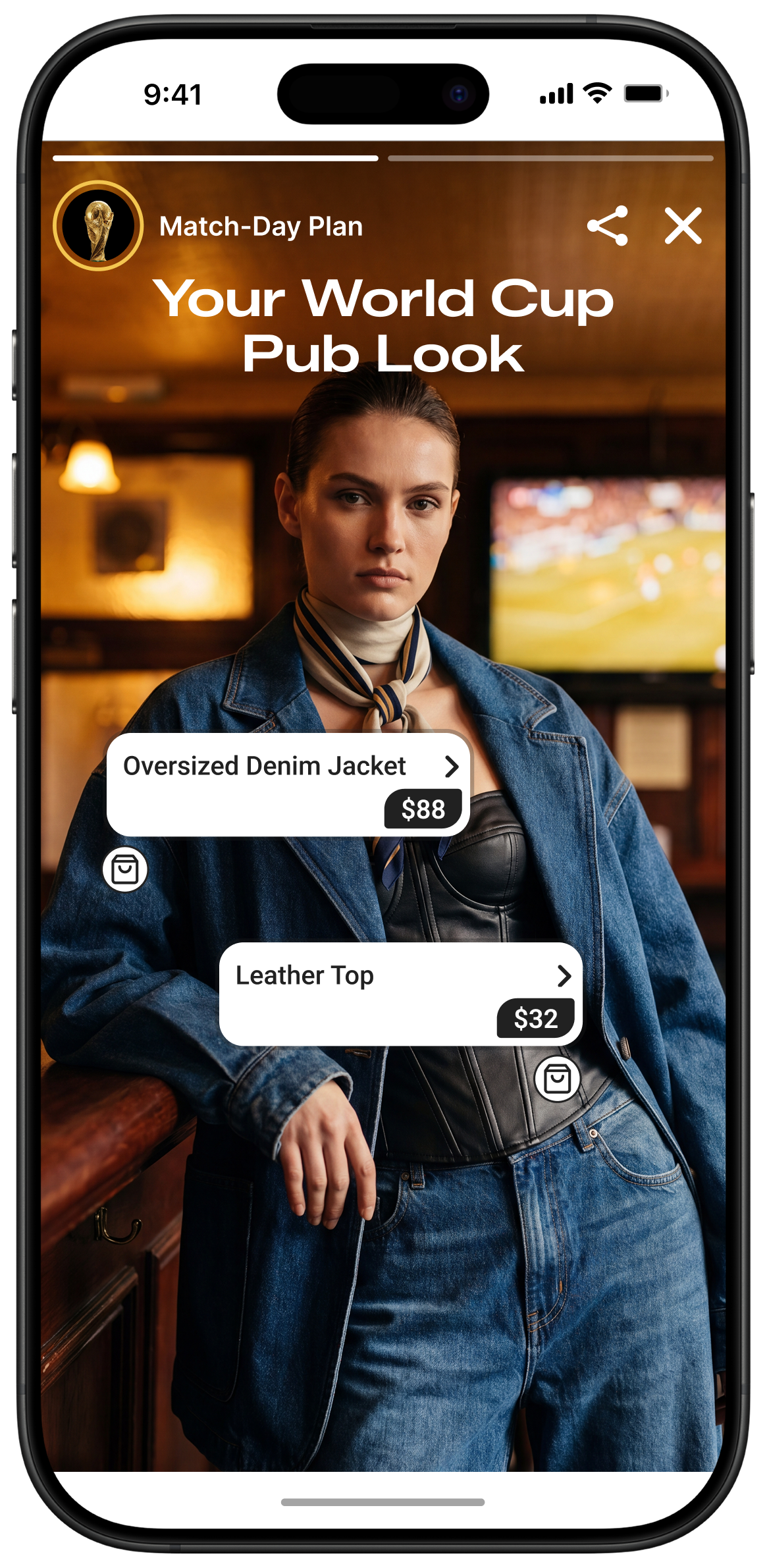
As each video plays, the featured items appear in an on-screen Product Catalog tied directly to that content. Shoppers do not need to guess what they are seeing or leave the experience to find it. Product discovery becomes immediate, contextual, and easy to act on in the moment interest is highest.
4. Move from discovery to Add to Cart
When a shopper taps a product, a Bottom Sheet opens with detailed product information. From there, they can select variants such as size or color and complete Add to Cart directly within the experience. That keeps the path to purchase short, intuitive, and uninterrupted.
Why It Drives Conversion
Video Shopping creates a dedicated discovery mode that keeps shoppers engaged while making products easy to identify and buy. By combining a TikTok-like vertical-scroll experience with an integrated Product Catalog and direct Add to Cart flow, you give customers a faster path from interest to action.
You can check out examples of Storyly in action.
.png)
.png)
.png)
.png)
.png)
.png)
.png)


Our playbook has more details
_2.png)
_3.png)